How to transfer USD back to Australia

Are you looking to transfer US Dollars from offshore to your local Australian dollar bank account?
Flash Payments can offer you a competitive exchange rate whilst making the process secure, simple and fast and economical. Because you'll pay zero transaction fees, you'll get the best bang for your buck.
Transferring your US dollars to Australian dollars is simple :
Sign up to Flash Payments it takes 3 minutes
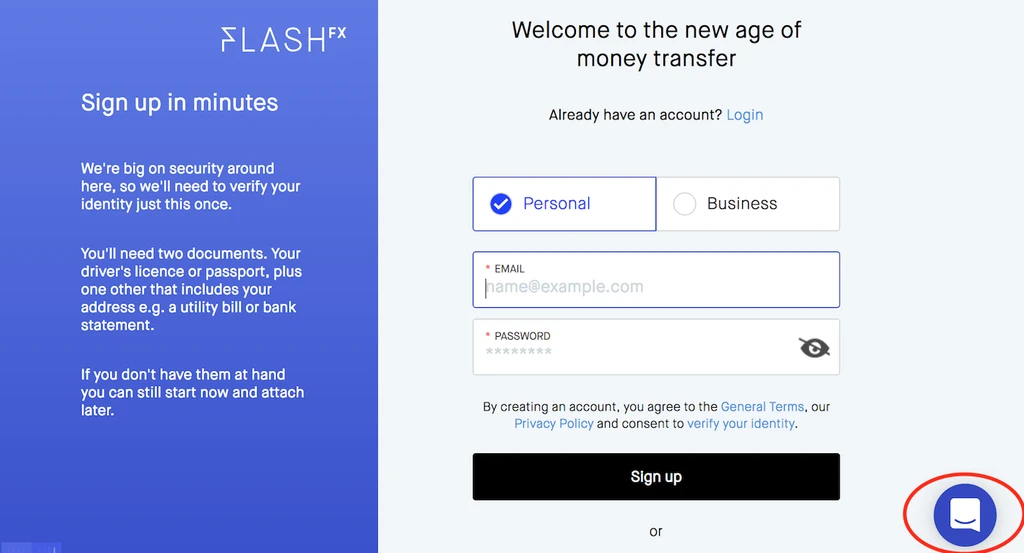
- Signup to Flash Payments here. You'll need to have an identity document such as a drivers licence or passport handy.
 :quality(90) "Signup page screenshot")
- Tell us via 'live chat' (at the bottom right of screen) that you will be bringing USD back to AUD.
Set up your transfer details
You'll be notified as soon as your account is active. Verification is fast - usually minutes. From there it's as simple as :
- Log in Flash Payments.
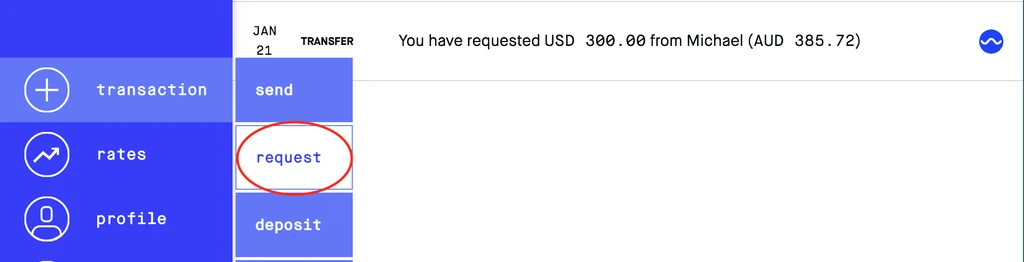
- Select the request payment option and enter the amount of USD you wish to convert.
 :quality(90) "Request funds")
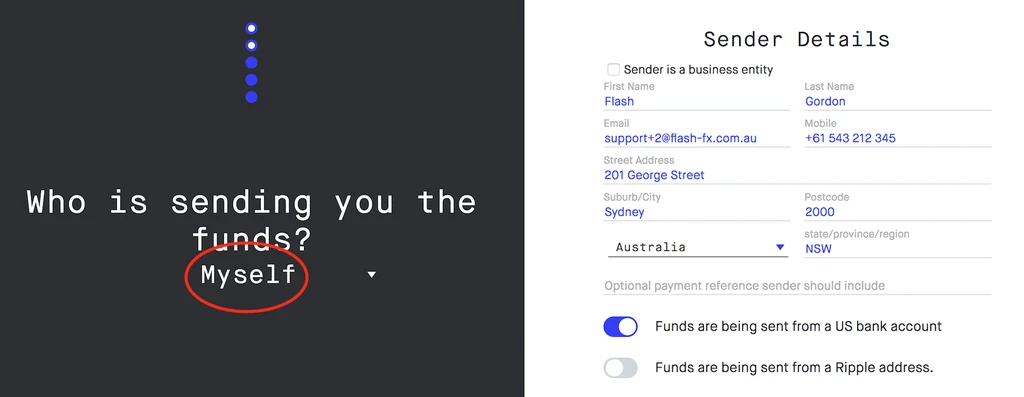
- Let us know who is sending the funds - is it you or someone else?
 :quality(90) "Sender details")
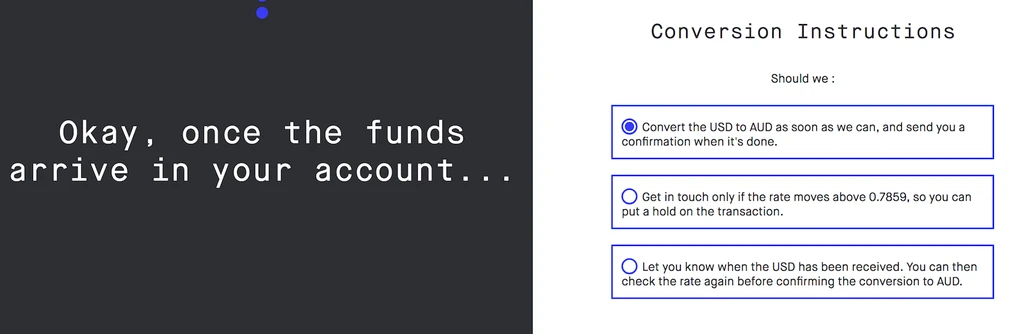
- Confirm if we should convert as soon as we receive your USD, or notify you for a final OK.
 :quality(90) "Conversion Instructions")
- We display the details of our USD deposit account.
Send us your USD
Finally send the USD to our deposit account. Remember to include your Flash Payments client number in the description or memo field if present.
That's it. We'll do the rest. The funds should be in your Australian bank account the next day.